Additional Request Properties
Most of the request properties are sequence filters. However, there are some properties that influence the response data in other ways.
Check the Swagger UI for the full specification.
Ordering The Results
Section titled “Ordering The Results”You can specify the response fields by which the results should be ordered. LAPIS by default sorts in ascending order.
GET /sample/aggregated?orderBy=responseField1,responseField2To specify descending order, you need to send a POST request:
POST /sample/aggregated
{ "orderBy": [ "responseField1", { "field": "responseField2", "type": "descending" } ]}Random ordering
Section titled “Random ordering”You can also get a random order of results, which is useful in combination with limit to take random samples from the data.
GET /sample/details?orderBy=randomYou can also provide a seed value that controls how the random order is created. Given the same seed (and data version), the results will always be returned in the same order.
GET /sample/details?orderBy=random(42)The seed (42 in the example above) needs to be an integer.
The same order will also be applied across query types. That can, for example, be used to get the metadata and sequences of the same random subsample:
GET /sample/details?orderBy=random(42)&limit=100GET /sample/unalignedNucleotideSequences?orderBy=random(42)&limit=100With a POST request, specify random like this:
POST /sample/details
{    "orderBy": {        "random": true    }}
or with seed:
{ "orderBy": { "random": 42 }}Pagination
Section titled “Pagination”LAPIS supports pagination. You can specify the number of results to return and the offset to start from.
GET /sample/aggregated?limit=10&offset=20Pagination respects the ordering of the results.
Data Format
Section titled “Data Format”By default, LAPIS returns the data in JSON format.
LAPIS also supports returning the data as CSV or TSV.
The format can be specified in the Accept header.
GET /sample/aggregatedAccept: text/csvPOST /sample/aggregatedAccept: text/tab-separated-values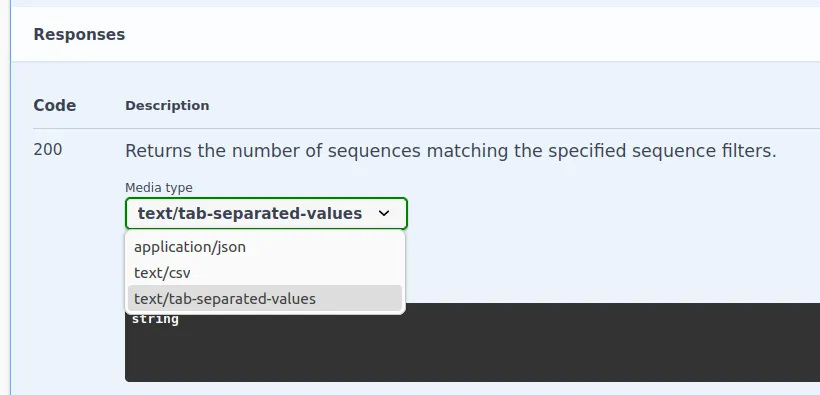
You can specify the parameter headers=false in the accept header to exclude the headers from the CSV or TSV response.
GET /sample/aggregatedAccept: text/csv;headers=falseDownloading The Results From A Browser
Section titled “Downloading The Results From A Browser”You can set downloadAsFile to true.
LAPIS will then set the header Content-Disposition: attachment; filename=<data.format>.
This will prompt browsers to download the data as file.
GET /sample/aggregated?downloadAsFile=trueYou can also specify the file’s basename by setting the downloadFileBasename property.
GET /sample/aggregated?downloadAsFile=true&downloadFileBasename=my_file_basenameThis will set the header Content-Disposition: attachment; filename=my_file_basename.<data.format>.
Compression
Section titled “Compression”LAPIS supports gzip and Zstd compression.
You can request compressed data by setting the compression property in the request.
Refer to the Swagger UI for allowed values.
GET /sample/aggregated?compression=gzip